
Quick picksCompare 6 recommendations by fit and tradeoff
OtterBox Defender Series Pro
Best for: Buyers who accept a thick, heavy case for stronger impact-oriented coverage.
Tradeoff: Significant bulk and weight, with no confirmed screen-protector pairing.
Thinborne 600D Aramid Fiber Case
Best for: Careful buyers who want minimal bulk, a textured technical finish, and basic scratch and minor-impact coverage.
Tradeoff: No front lip and an explicit non-rugged protection boundary.
dbrand Grip Case
Best for: Buyers who prioritize traction and tactile handling over a smooth pocket release or the lowest possible price.
Tradeoff: Relatively substantial bulk and a warning that magnets may affect magnetometer functionality.
Spigen Ultra Hybrid Mag Fit
Best for: Buyers who want to see the Pixel 11 Pro's design while keeping everyday protection and magnetic accessory support.
Tradeoff: No exact-model screen-protector test or reliable long-term proof against yellowing and scratches.
Bellroy Leather Case with Pixelsnap
Best for: Buyers who want genuine leather character, premium construction, and magnetic accessories in a relatively slim case.
Tradeoff: No quantified drop protection, with leather that can scratch, stain, and change appearance over time.
TORRAS Ostand Q3 Spin
Best for: Buyers who regularly use the phone for video calls, recipes, desk viewing, travel navigation, or media.
Tradeoff: Meaningful added weight and depth, with no independent test of hinge longevity or stand stability on varied surfaces.
The right Google Pixel 11 Pro case depends on the compromise you notice every day. A rugged case adds protection but also bulk; a thin case is easier to carry but leaves less room for edge coverage; a stand or premium material adds a feature you may or may not use. No single case maximizes protection, pocketability, grip, visibility, premium materials, and hands-free use at once.
Make sure the case is made for the Pixel 11 Pro, not the Pixel 11 or Pixel 11 Pro XL. Confirm its screen-protector fit, magnetic-accessory support, and current availability before buying.
How to choose the right Pixel 11 Pro case
Compare cases on pocket bulk versus coverage, magnetic accessory behavior, screen and camera edges, and whether materials or built-in features are worth the extra size.
Protection versus pocket comfort
The OtterBox Defender Series Pro lists a 0.63-inch profile and 2.24-ounce weight. That is a very different carry experience from the Thinborne 600D Aramid Fiber Case, which lists approximately 0.9 mm of thickness and roughly 0.7 ounce.
More material can provide more edge, corner, camera, and port coverage, but it also takes up more room in a pocket or small bag. The other cases use different measurement conventions, so treat their published dimensions as general positioning rather than a precise ranking.
Magnetic accessories do not all work the same way
Several finalists support magnetic accessories, including Google’s Pixelsnap ecosystem and MagSafe-style wallets, mounts, or chargers. That does not guarantee the same charging speed, retention, alignment, or vehicle-mount behavior with every accessory.
Thinborne is the clearest example. Thinborne advertises magnetic and Pixelsnap support but says the case is not Qi2 certified and that charging may vary. The dbrand Grip carries a separate warning that its magnets may affect the phone’s compass or other sensor-dependent apps.
Screen and camera edges matter more than a drop number
Raised screen and camera edges can keep those areas from resting directly on a flat surface, but they do not predict how a case will perform in every drop. OtterBox says its case was tested to seven times the MIL-STD-810G standard, but that is not a guarantee that a phone will survive every impact. Bellroy has no published drop rating, while Thinborne explicitly says it is not intended for serious drop protection.
A case can have useful raised edges without fitting every glass protector. Thinborne has no front lip and recommends its included tempered-glass protector. With the other cases, check for edge lift or pressure after fitting the specific protector you use.
Materials and built-in features change how the case ages
Leather is chosen for feel and natural patina, not for a permanently flawless exterior. Clear plastic keeps the phone visible but can still scratch or discolor over time. Aramid fiber keeps Thinborne light and technical, while dbrand’s replaceable skins let you change the exterior without replacing the case. TORRAS’s integrated stand adds functionality, but also meaningful depth and weight.
Best for maximum drop-oriented protection
The OtterBox Defender Series Pro is the protection-first choice for buyers who accept substantial bulk for a heavier protective design. OtterBox says it is tested to seven times the MIL-STD-810G 516.6 military drop standard, and the case adds textured grip, raised screen and camera edges, and a covered USB-C port. The Case-Mate Tough Case is a less bulky alternative for buyers who still want a protection-focused design with magnetic accessory support.
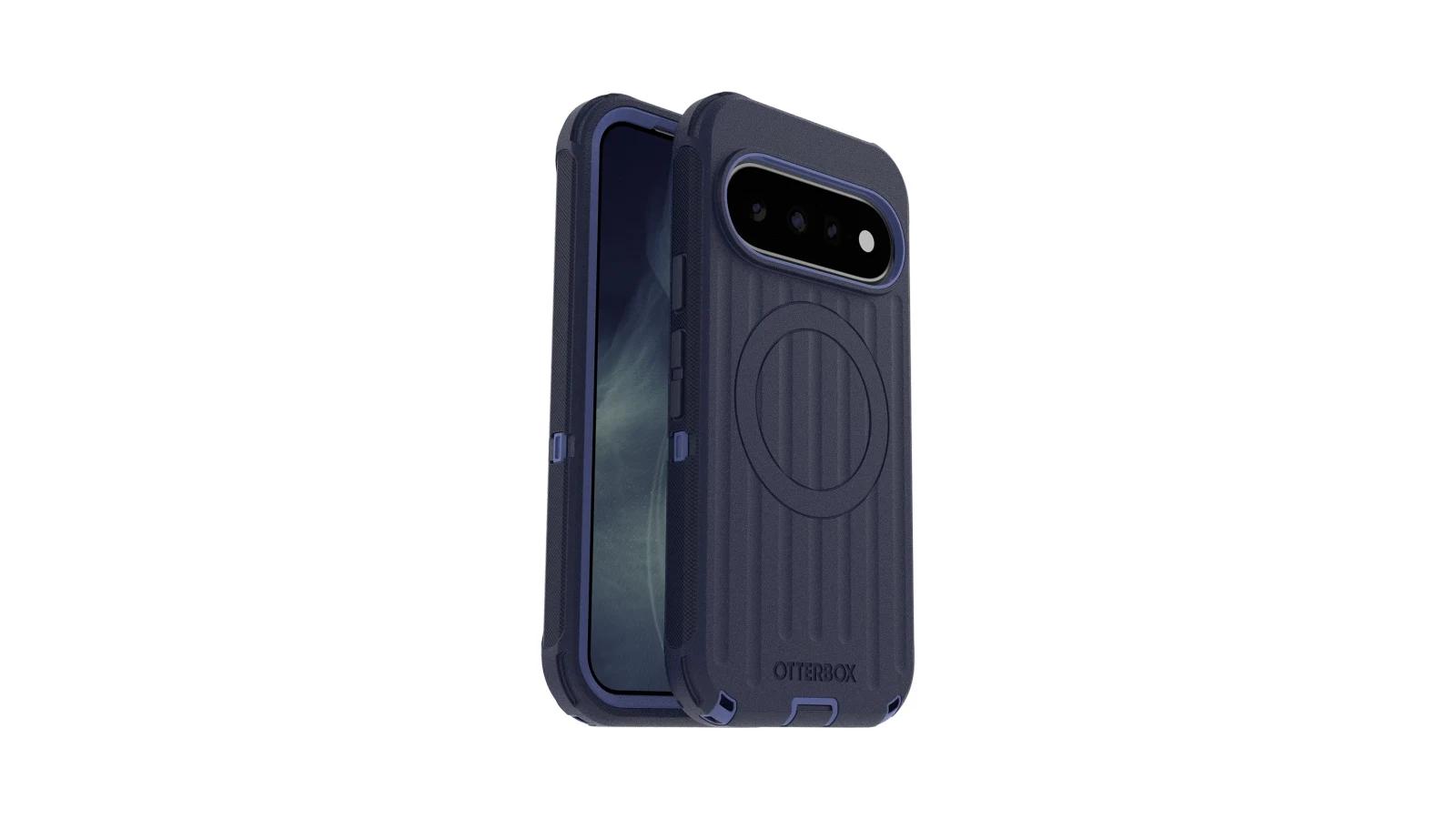
A layered, coverage-first design
OtterBox describes a multi-layer construction with rigid and flexible components, shock-absorbing corners, magnets, and at least 35% recycled content. Popular Mechanics selected the Defender Series Pro as its best rugged Pixel 11-family case and described the textured finish as useful for handling.
The raised screen and camera edges should keep those areas off flat surfaces, while the port cover can help block dust and dirt. The tradeoff is that plugging in a cable takes an extra step, and the case is less pocket-friendly than the other finalists.
What the added bulk changes
The version sold for the Pixel 11 and Pixel 11 Pro is listed at 0.63 inches thick and 2.24 ounces. Select the Pixel 11 Pro version at checkout. This case suits buyers who accept a substantial case for more coverage, not someone who mainly wants scratch protection with minimal pocket friction.
Best Buy says the traditional belt holster is not included and must be claimed separately. Check the box contents before buying if you need the holster. The OtterBox page also shows conflicting stock messages, so check retailer or ZIP-code availability at checkout. Screen-protector pairing is not confirmed, so check for edge lift if you use tempered glass.
Best for the thinnest everyday carry
The Thinborne 600D Aramid Fiber Case is the best fit for careful buyers who want the Pixel 11 Pro to remain close to its natural size and weight. Its approximately 0.9 mm profile, textured aramid surface, magnetic array, and included tempered-glass protector make it unusually focused on minimal carry. The key limitation is simple: Thinborne has no front lip and is not intended for serious drop protection. Bellroy is the better alternative if you want more edge coverage and traditional leather character.
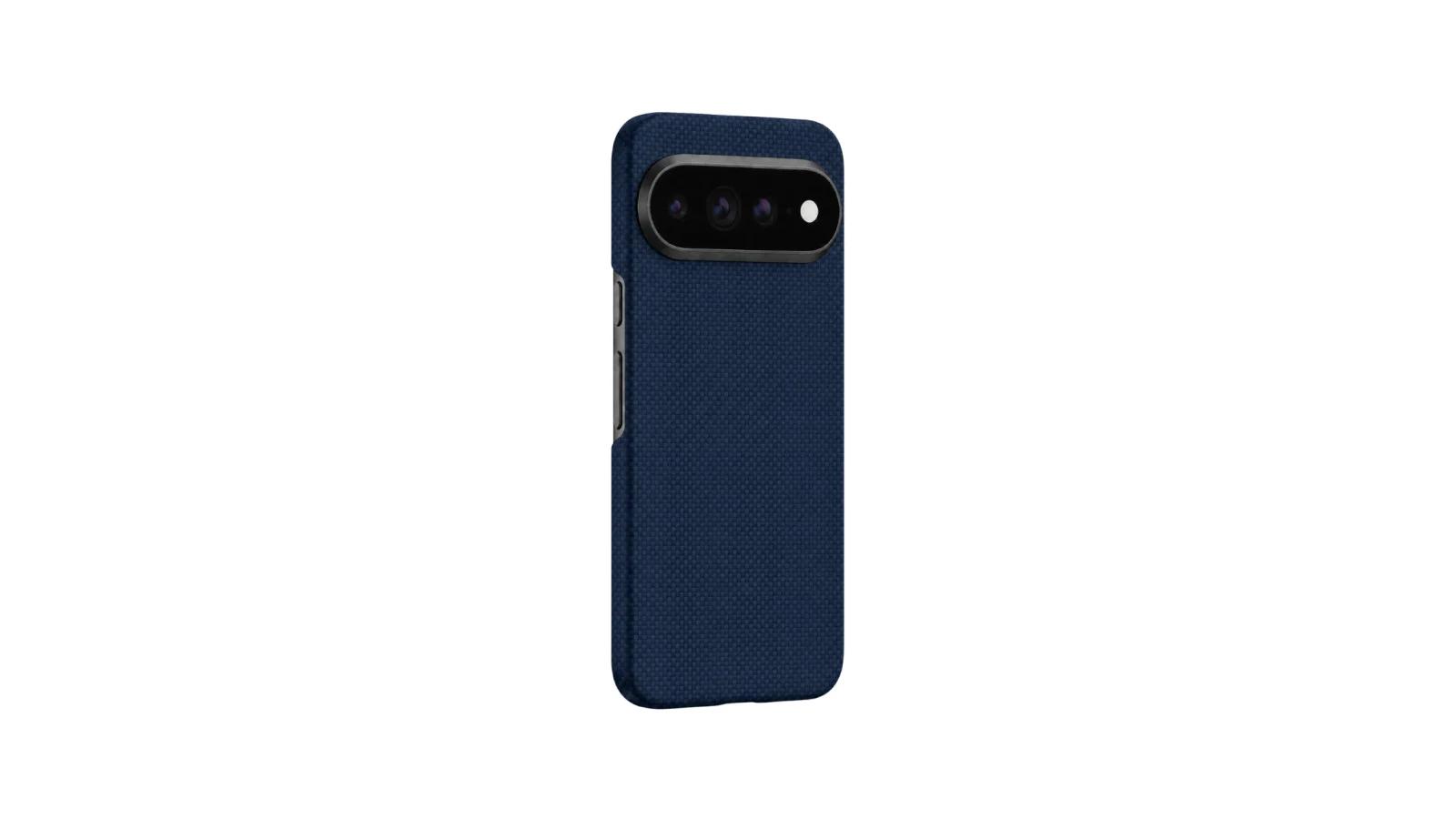
A barely-there aramid shell
Thinborne uses a 600D aramid-fiber shell with a woven finish and full back-and-side coverage. Thinborne positions it for scratches, scuffs, bumps, and minor drops rather than rugged use. Android Central also selected the Pixel 11 Pro version as its best thin case, supporting its role as a minimalist option rather than a protective heavyweight.
At approximately $70, it is expensive for a case this light. The price mainly pays for thin aramid construction, magnetic support, and the included protector, not for substantial corner cushioning or a tall display lip.
Why the screen protector and charging setup matter
Because there is no front lip, the included tempered-glass protector is more than a bonus. It supplies the display barrier that the case itself does not. Compatibility with other protectors remains unconfirmed, so check the specific protector before installing it.
Thinborne advertises MagSafe and Pixelsnap support, but its own product information says the case is not Qi2 certified and that charging may vary. Thinborne recommends magnetic or PixelSnap-style chargers; do not assume that every stand charger or built-in car mount will align or charge reliably. Magnetic accessory support is credible, but it is not universal wireless-charging compatibility.
Best for a secure, textured hand feel
The dbrand Grip Case is the specialized choice for buyers whose main problem is a slippery phone. Its micro-textured back, side grip strips, tactile-button design, camera coverage, and replaceable skin system give it a clearer traction purpose than a smooth clear shell. dbrand claims military-grade impact resistance, but the listed 0.55-inch height and magnetometer warning are meaningful compromises. Spigen Nano Pop Mag Fit is a less expensive alternative for buyers who want textured sides with a simpler case design.
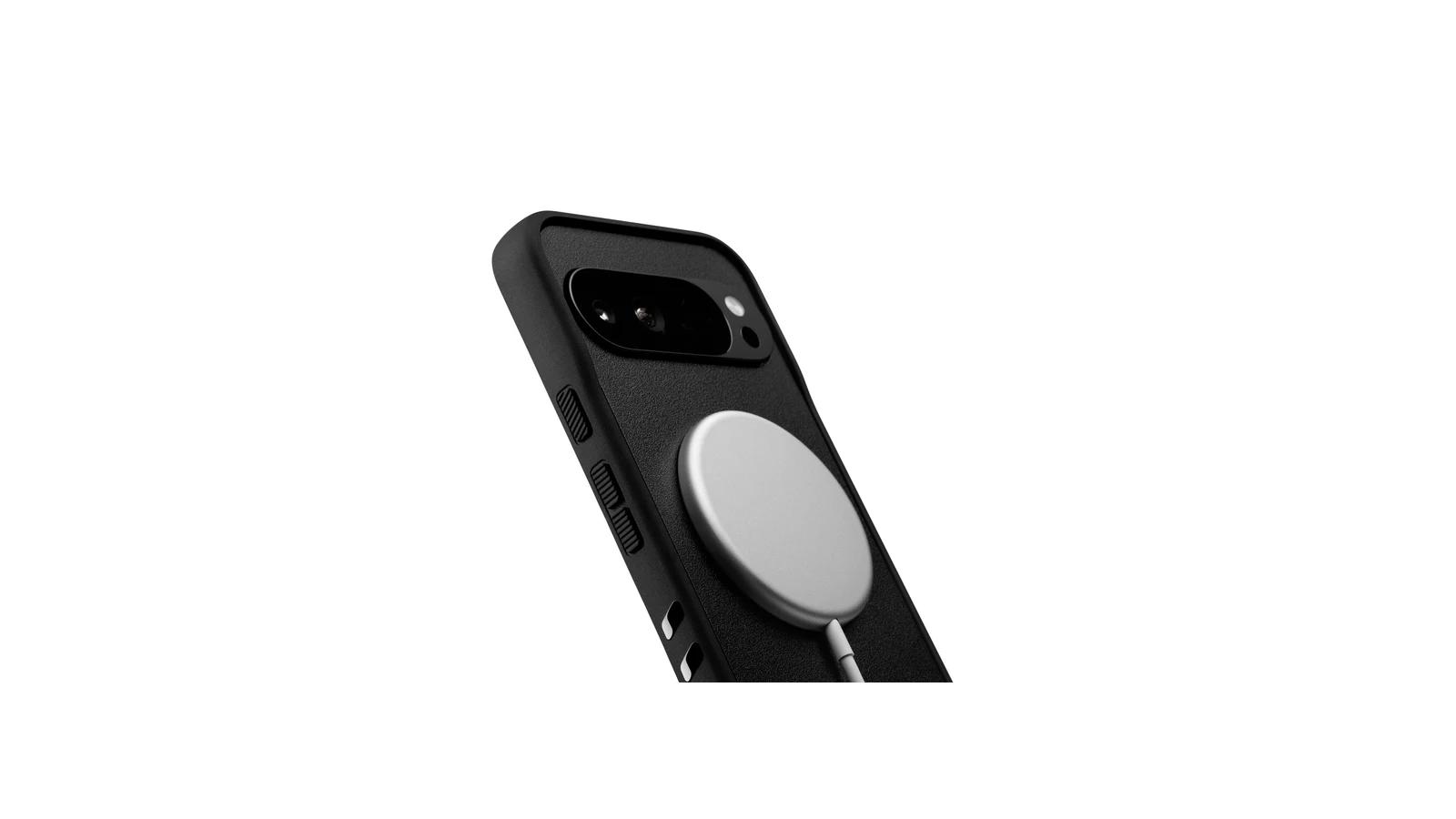
Micro-texture and side grip strips
dbrand describes a surface built from micro-ridges or dots, with additional grip strips along the sides. That makes the case a better match for someone concerned about hand slips or one-handed use than a fully smooth clear case.
The case also uses a chamfered front lip and lower sides intended to leave room for edge swipes. That may help with swiping, although it can provide less continuous front-edge protection than a taller rugged perimeter. Pixel 11 Pro measurements for the lip and camera clearance are not published.
Custom skins without changing cases
The replaceable skin system is a practical reason to choose dbrand beyond appearance. You can change the exterior design without replacing the underlying case. Some skins use leather-look designs, but the Google Store identifies the material as vinyl. They should not be treated as genuine leather.
The case includes built-in magnets for Pixelsnap-style accessories, but dbrand warns that magnetic cases may affect the phone’s compass or other sensors. If you regularly use compass, navigation, or sensor-dependent apps, that caveat matters more than the accessory convenience.
Best for showing the Pixel 11 Pro
The Spigen Ultra Hybrid Mag Fit is the balanced clear-case choice for buyers who want to show off the Pixel 11 Pro while adding everyday edge, corner, and camera protection. Its PC-and-TPU construction, raised edges, reinforced corners, and built-in magnetic ring make it more versatile than a bare clear shell. The unresolved tradeoff is long-term yellowing and scratch resistance. Google’s Pixelsnap Clear Case is the official alternative if direct Google integration matters more than the lower price.
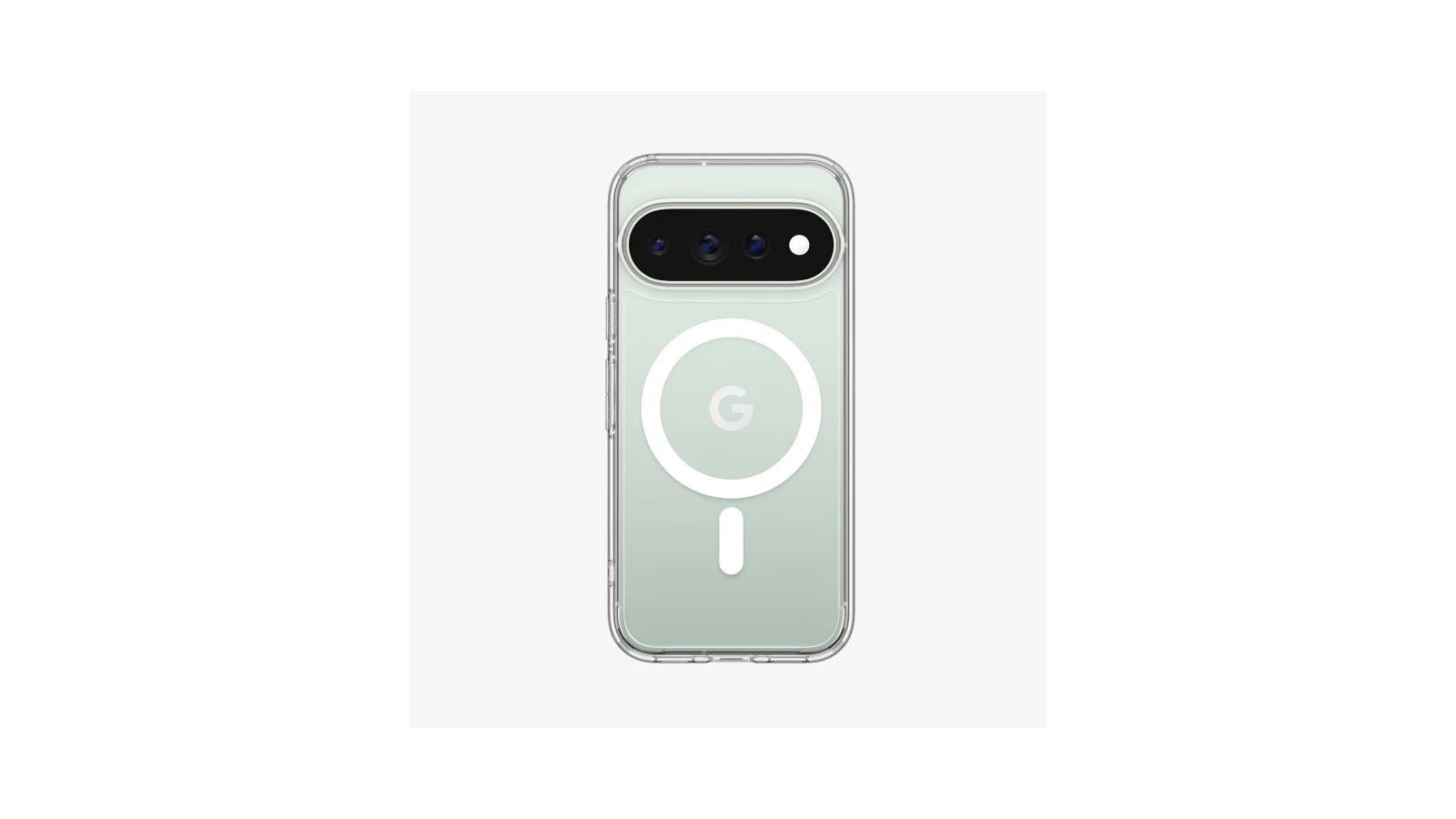
Clear PC-and-TPU protection
The rigid polycarbonate back and flexible TPU frame are intended to combine visibility with more structure than a very thin single-layer case. Spigen also uses Air Cushion construction and a raised camera surround. Android Central and iGeeksBlog positioned the Ultra Hybrid Mag Fit as a clear option for everyday protection rather than extreme drops.
Spigen says its DuraClear design is intended to preserve clarity and resist yellowing. That is a design goal, not proof that this case will stay clear indefinitely. Long-term yellowing for the exact Pixel 11 Pro version is not established.
Magnetic accessories without hiding the phone
The Mag Fit version costs $44.99, compared with $34.99 for Spigen’s non-magnetic Ultra Hybrid. The extra cost buys the magnetic ring and support for magnetic accessories, which is the main reason to choose the Mag Fit version over the standard clear case.
The phone’s design remains visible, but the clear back may feel slicker than dbrand Grip’s textured surface. Spigen does not publish a case-friendly screen-protector guarantee for the Pixel 11 Pro, so check for pressure or edge lift after fitting your protector.
Best for a traditional leather feel
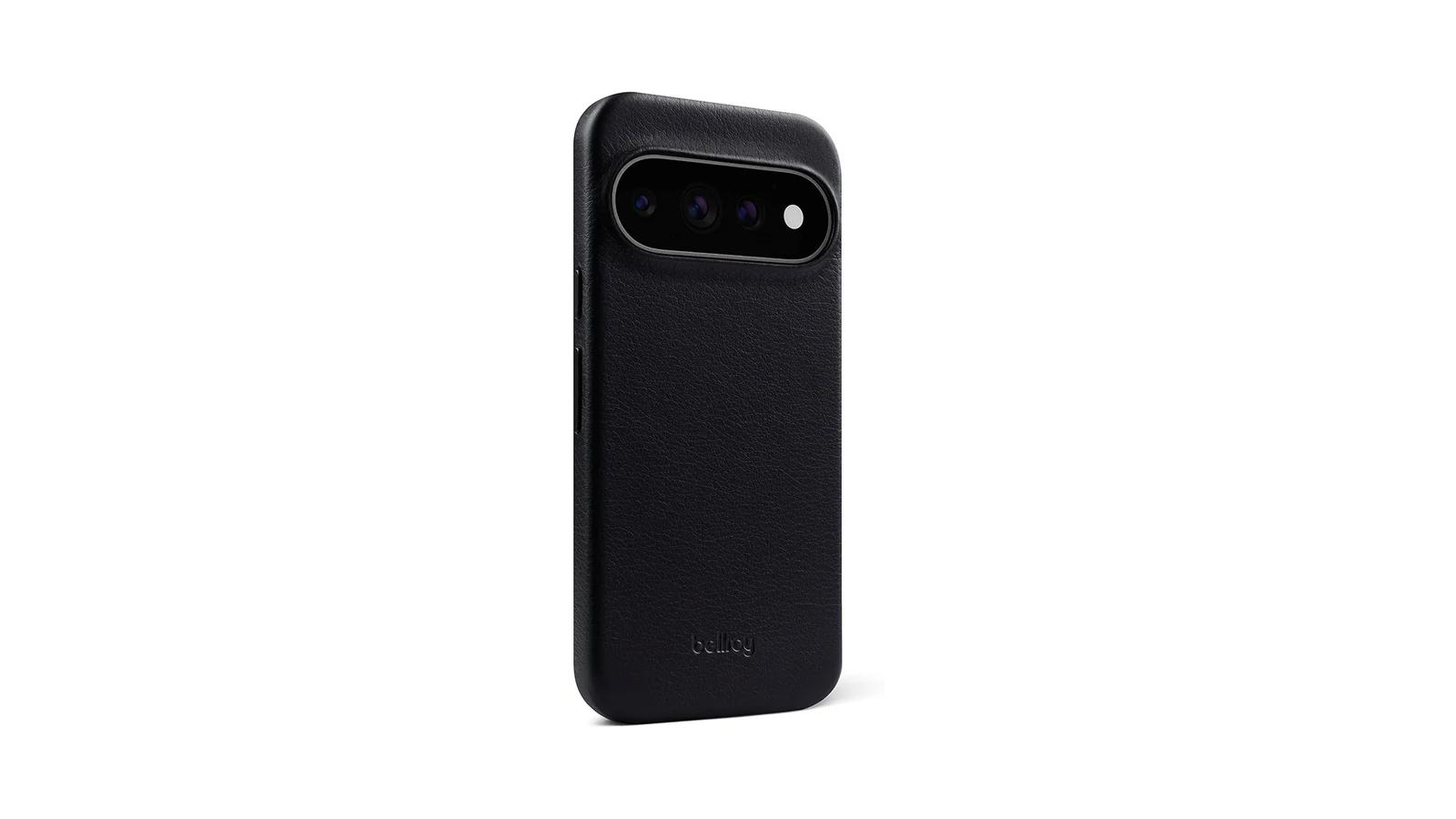
The Bellroy Leather Case with Pixelsnap is the best choice for buyers who want genuine leather character, a soft lining, magnetic accessory support, and a relatively slim premium case. A review of the Pixel 11 Pro version found a raised front frame, a camera-area step, and a comfortable everyday-carry profile. The tradeoff is limited impact evidence and natural leather wear. Mous Clarity is the alternative if you prefer visible phone styling and more impact-oriented positioning.
Premium materials with a slim profile
Google identifies the case as using premium gold-rated leather and a soft microfiber lining. HelenTech’s Pixel 11 Pro review additionally described full-grain leather, anodized aluminum buttons, and a microfiber interior. The official listing gives the case a 0.59-inch profile and 1.09-ounce weight, while the reviewer measured a similar weight.
That makes Bellroy slimmer and lighter than a rugged Defender-style case, but it is not a barely-there shell. The raised screen frame and camera step add useful surface clearance, though neither is a substitute for a published drop rating.
How the leather will age
Leather is the point of this case, and also its main maintenance tradeoff. It will remain vulnerable to scratches, stains, and water, so that wear is part of the material choice rather than evidence that this Pixel 11 Pro case is defective.
The approximately $54.99 starting price also includes Pixelsnap support and Bellroy’s three-year warranty for eligible material and workmanship faults. The warranty does not turn normal patina, scratches, or accidental damage into covered defects.
Best for hands-free viewing
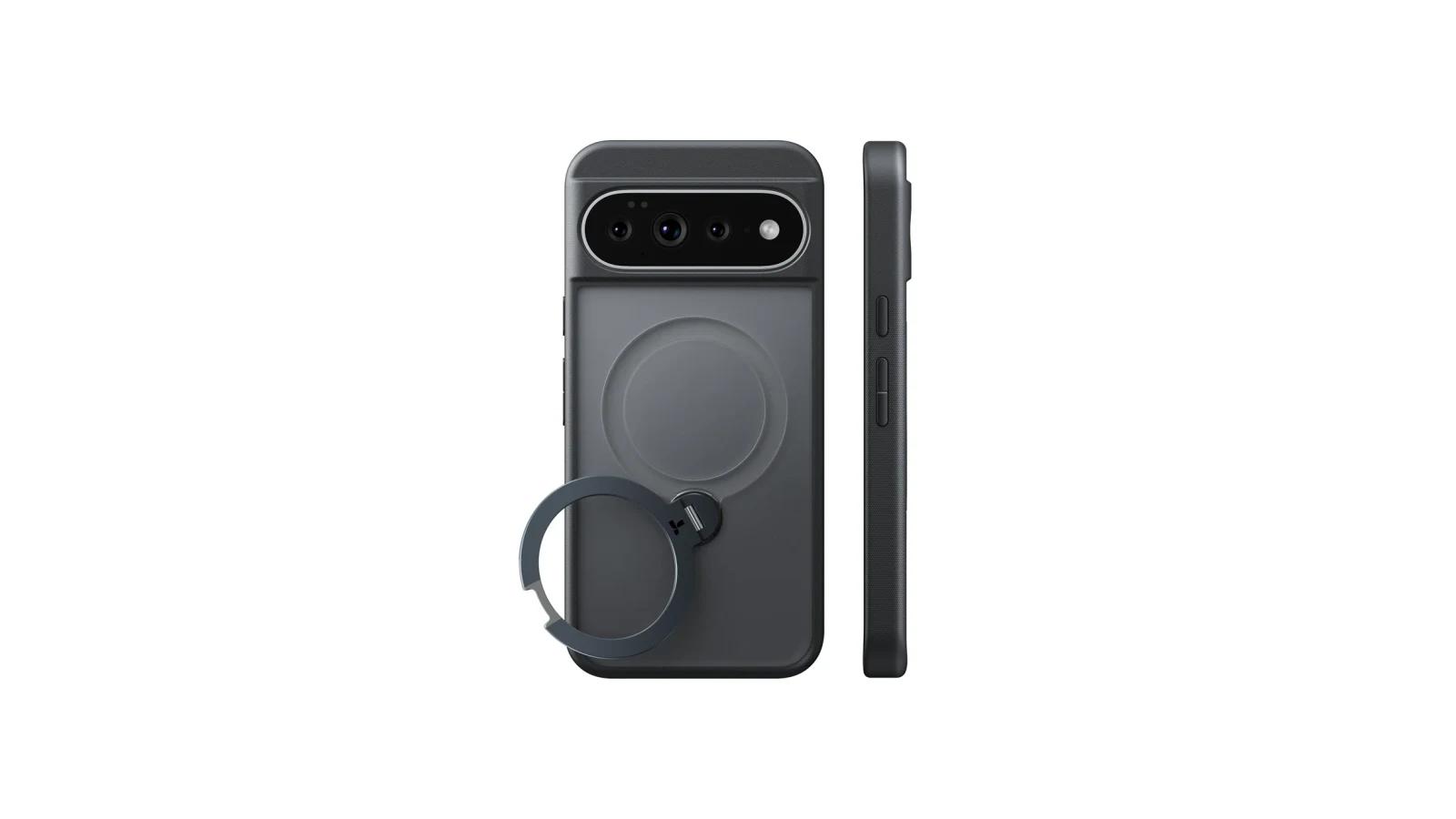
The TORRAS Ostand Q3 Spin is the best choice for buyers who will use an integrated stand for video calls, recipes, desk viewing, travel navigation, or media. Its aluminum-alloy stand rotates 360 degrees and supports portrait and landscape positions, but the Pixel 11 Pro version weighs 51 grams and adds noticeable depth. Choose the OtterBox Defender Series Pro instead when stronger protection and port coverage matter more than stand use.
Portrait and landscape support
TORRAS lists vertical viewing angles from 15 to 90 degrees and horizontal angles from 15 to 165 degrees. That gives the case a wider range of practical uses than a simple fixed kickstand, including portrait video calls and landscape media viewing.
The stand has not been independently tested on every surface. Treat those angles as the manufacturer’s design specification, not a promise of stable support on a soft bed, uneven table, or moving vehicle.
A stand that doubles as a ring
The rotating stand also functions as a finger ring and attachment point for magnetic accessories. TORRAS lists N52 magnets and a 14 N magnetic-strength rating, while independent coverage supports the stand-focused role.
At $39.99, the case offers good value if you will use the stand regularly. Its 51-gram weight and 12.89 mm listed depth are hard to justify if the stand will spend most of its time folded flat. TORRAS confirms MagSafe-compatible accessories, but do not assume universal Pixelsnap, Qi2, charger, or vehicle-mount behavior without checking your particular accessory.
How the Pixel 11 Pro case picks differ
Product
- Best for
- Maximum protection-focused coverage
- Relative bulk and protection
- Substantial bulk; layered construction, raised edges, grip, and port cover
- Magnetic accessories and charging
- Pixelsnap and wireless charging support claimed; performance varies by charger and device
- Price position
- Premium, about $69.99
- Main tradeoff
- Thick and heavy; holster reportedly separate; protector pairing unconfirmed
Product
- Best for
- Thinnest everyday carry
- Relative bulk and protection
- Approximately 0.9 mm and about 0.7 oz; everyday coverage, not rugged protection
- Magnetic accessories and charging
- MagSafe and Pixelsnap marketed; not Qi2 certified, and charging may vary
- Price position
- Premium, about $70
- Main tradeoff
- No front lip and limited drop protection
Product
- Best for
- Secure, textured hand feel
- Relative bulk and protection
- Relatively substantial listed height; traction-focused construction and claimed impact resistance
- Magnetic accessories and charging
- Built-in magnets and Pixelsnap support; compass and sensor warning
- Price position
- Around $59
- Main tradeoff
- Added bulk, magnetic caveat, and limited independent testing on this exact model
Product
- Best for
- Showing the phone
- Relative bulk and protection
- Moderate everyday protection from PC/TPU, raised edges, and reinforced corners
- Magnetic accessories and charging
- MagFit ring for magnetic accessories and wireless charging; accessory behavior varies
- Price position
- Midrange, $44.99
- Main tradeoff
- Clear material may scratch or yellow over time; not rugged
Product
- Best for
- Traditional leather feel
- Relative bulk and protection
- Slim premium case with raised screen and camera edges; no drop rating
- Magnetic accessories and charging
- Pixelsnap and MagSafe-style accessory support reported
- Price position
- Premium, from about $54.99
- Main tradeoff
- Leather can scratch, stain, and patina; limited impact evidence
Product
- Best for
- Hands-free viewing
- Relative bulk and protection
- Heavier and deeper because of the integrated stand; shock-absorbing frame and raised camera area
- Magnetic accessories and charging
- MagSafe-compatible magnets; charging and Pixelsnap behavior remain accessory-specific
- Price position
- Feature value, about $39.99
- Main tradeoff
- Added weight and depth; stand stability and hinge longevity remain uncertain
Swipe table to view all columns.Scroll table to view all columns.
| Product | Best for | Relative bulk and protection | Magnetic accessories and charging | Price position | Main tradeoff |
|---|---|---|---|---|---|
| OtterBox Defender Series Pro | Maximum protection-focused coverage | Substantial bulk; layered construction, raised edges, grip, and port cover | Pixelsnap and wireless charging support claimed; performance varies by charger and device | Premium, about $69.99 | Thick and heavy; holster reportedly separate; protector pairing unconfirmed |
| Thinborne 600D Aramid Fiber | Thinnest everyday carry | Approximately 0.9 mm and about 0.7 oz; everyday coverage, not rugged protection | MagSafe and Pixelsnap marketed; not Qi2 certified, and charging may vary | Premium, about $70 | No front lip and limited drop protection |
| dbrand Grip | Secure, textured hand feel | Relatively substantial listed height; traction-focused construction and claimed impact resistance | Built-in magnets and Pixelsnap support; compass and sensor warning | Around $59 | Added bulk, magnetic caveat, and limited independent testing on this exact model |
| Spigen Ultra Hybrid Mag Fit | Showing the phone | Moderate everyday protection from PC/TPU, raised edges, and reinforced corners | MagFit ring for magnetic accessories and wireless charging; accessory behavior varies | Midrange, $44.99 | Clear material may scratch or yellow over time; not rugged |
| Bellroy Leather Case with Pixelsnap | Traditional leather feel | Slim premium case with raised screen and camera edges; no drop rating | Pixelsnap and MagSafe-style accessory support reported | Premium, from about $54.99 | Leather can scratch, stain, and patina; limited impact evidence |
| TORRAS Ostand Q3 Spin | Hands-free viewing | Heavier and deeper because of the integrated stand; shock-absorbing frame and raised camera area | MagSafe-compatible magnets; charging and Pixelsnap behavior remain accessory-specific | Feature value, about $39.99 | Added weight and depth; stand stability and hinge longevity remain uncertain |
Prices were checked in the U.S. on September 19, 2026 and may change.
Which Google Pixel 11 Pro case should you buy?
Choose the OtterBox Defender Series Pro if drops and added coverage are the main concern. Choose Thinborne if keeping the phone close to its natural size matters most. Choose dbrand Grip when hand traction is the problem, Spigen Ultra Hybrid Mag Fit when you want the phone’s design to remain visible, Bellroy when leather feel matters, and TORRAS Ostand Q3 Spin when you will use a built-in stand regularly.
No case maximizes rugged coverage, minimum bulk, leather character, clear styling, grip, and stand functionality at the same time. Match the case to your actual magnetic accessories, and check whether your screen protector fits, especially with Thinborne’s no-front-lip design.
Check these details after the case arrives
- Confirm the fit. Make sure the package and case opening are for the standard Pixel 11 Pro, not the Pixel 11 or Pixel 11 Pro XL.
- Check controls and ports. Press every button, connect your usual USB-C cable, and verify that speakers and microphones are not obstructed.
- Check screen and camera clearance. Place the phone carefully on a clean, flat surface and confirm that the screen glass and camera surround do not touch it directly. Thinborne has no front lip, so its included protector matters.
- Install or test the screen protector. Watch for edge lift, pressure marks, or bubbles along the case perimeter rather than assuming any protector will fit.
- Test your actual magnetic accessories. Check alignment and retention with your charger, wallet, mount, or car setup. Charging speed and accessory behavior can vary by combination.
- Test the feature you bought the case for. If you chose TORRAS, check portrait and landscape stand positions on the surfaces where you plan to use them. If you chose dbrand, note whether the magnetic setup affects compass- or navigation-dependent use. If you chose OtterBox, confirm whether you need the separate holster.