
Quick picksCompare 6 recommendations by fit and tradeoff
OtterBox Commuter Series with Pixelsnap
Best for: Pixel 11 owners who want stronger everyday drop, edge, camera, and port coverage without choosing the largest full-body case.
Tradeoff: Its 1.8-ounce, 0.59-inch profile adds noticeable bulk, and screen-protector pairing has not been confirmed.
Spigen Liquid Air
Best for: Buyers who want a relatively thin, inexpensive case with more grip and protection than a bare skin.
Tradeoff: The exact Pixel 11 dimensions and weight are not published, and the non-MagFit model has no documented Pixelsnap or Qi2 support.
dbrand Pixelsnap Grip
Best for: People who frequently worry about dropping a slippery phone and prefer a high-friction case over the smoothest pocket entry.
Tradeoff: It carries more weight and profile than a basic TPU case, and third-party protector fit, magnetic retention, and long-term skin durability remain unresolved.
Spigen Ultra Hybrid MagFit
Best for: Pixel 11 owners who want the phone's design visible while retaining everyday protection and magnetic-accessory support.
Tradeoff: Clear materials remain vulnerable to scratches and eventual discoloration, and exact Pixel 11 protector pairing and magnetic retention have not been tested.
Bellroy Leather Case with Pixelsnap
Best for: Buyers who want genuine leather feel, a refined appearance, and magnetic accessories in a relatively slim case.
Tradeoff: Natural leather aging and scratch risk are part of ownership, while serious drop protection, base-model port fit, and screen-protector pairing remain less established.
Poetic Spartan with MagSafe
Best for: People who regularly use their Pixel 11 for desk viewing, calls, travel, or video and want the stand built into the case.
Tradeoff: The case's dimensions and weight are unpublished, and availability, charging performance, port access, and stand stability are not independently confirmed.
The right Google Pixel 11 case depends on the compromise you notice most. More coverage usually adds pocket bulk, a stand adds useful function but takes up space, and premium materials such as leather or clear plastic age differently from textured TPU.
Make sure the case is made for the standard Pixel 11, not the Pixel 11 Pro or Pixel 11 Pro XL. Confirm its screen-protector fit, magnetic-accessory support, and current availability before buying.
How to choose the best Pixel 11 case
Compare cases on pocket bulk, magnetic accessories, how much drop protection you want, and how the materials age.
Bulk is the clearest tradeoff
Raised edges, port covers, multiple layers, and built-in stands can improve coverage or convenience, but they also change pocket carry and accessory fit. OtterBox lists the Commuter version sold for Pixel 11 and Pixel 11 Pro at 0.59 inches and 1.8 ounces, while Bellroy lists its Pixel 11 leather case at 1.02 ounces. Those figures describe individual products, not a complete cross-case bulk ranking.
The thinner choices prioritize easier everyday carry. The OtterBox and Poetic Spartan prioritize structure and coverage. Poetic does not publish the Spartan’s dimensions or weight, so judge its bulk from the layered build, ring stand, and included screen protector rather than from a precise cross-case comparison.
Pixelsnap support changes the accessory decision
The non-MagFit Spigen Liquid Air is the exception here: its Pixel 11 listing does not advertise Pixelsnap, Qi2, magnetic-mount, or magnetic-wallet support. Spigen sells a separate MagFit version at a higher listed price.
OtterBox, dbrand, Bellroy, Spigen’s Ultra Hybrid MagFit, and Poetic’s Spartan all include magnetic hardware or advertise magnetic-accessory compatibility. That does not guarantee the same alignment, holding strength, charging speed, or heat behavior with every charger, mount, wallet, or power bank.
Protection claims describe a category, not a guarantee
OtterBox says the Commuter was tested to three times a military drop standard, while Poetic says the Spartan passed a 20-foot drop test. Those claims explain each case’s intended use, but they do not promise that a particular fall will leave the phone undamaged.
For buyers, the more useful distinction is construction. OtterBox combines a dual-layer shell, raised edges, grippy sides, and port covers. Poetic adds a heavier multi-layer design, a rotating stand, and an included protector. Slim cases provide less structure but may be easier to carry and handle every day.
Materials determine how the case ages
Clear cases keep the phone visible but can still scratch or discolor. Spigen claims a clarity treatment for the Ultra Hybrid MagFit, but that is not a guarantee of permanent clarity. Bellroy’s leather develops patina and can show scratches or moisture marks. The dbrand Grip uses replaceable skins, making its appearance easier to change than a conventional shell.
The best material is the one whose aging pattern fits your expectations. A worn-in leather finish may be desirable; a buyer who wants the case to look unchanged may prefer a replaceable or lower-cost synthetic option.
Best Pixel 11 case for everyday drop protection
The OtterBox Commuter Series with Pixelsnap is the best fit for Pixel 11 owners who want structured everyday coverage without moving to the largest rugged case. Its dual-layer construction, raised edges, grippy sides, port covers, and magnetic-accessory support give it the most complete protection-oriented setup here. The compromise is noticeable thickness and weight. Choose the Poetic Spartan instead when an integrated stand and included screen protector matter more than a conventional case profile.
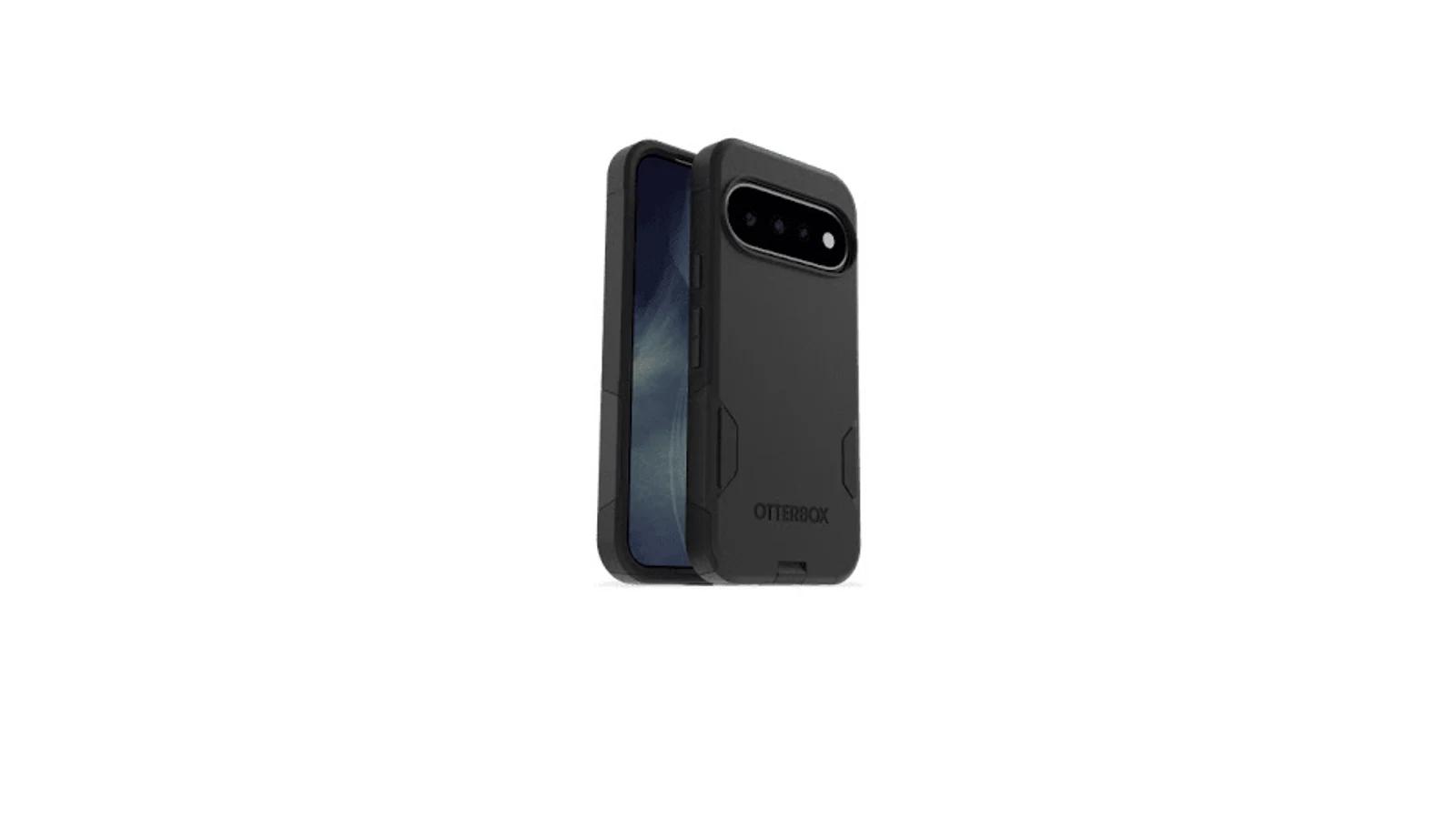
Dual-layer coverage without full rugged-case bulk
OtterBox describes an impact-absorbing inner layer and rigid outer shell, with raised edges around the screen and camera. The port covers add environmental coverage around USB-C, although they can make cable access less open than on a thin case.
The Commuter is therefore better suited to rougher daily environments than a minimalist shell. It is not the choice for someone who wants the least pocket friction or the lightest carry.
Pixelsnap support for magnetic accessories
The built-in magnets are marketed for Pixelsnap and wireless-charging alignment. That makes the Commuter more flexible than a conventional rugged case for buyers who already use a magnetic charger, wallet, or mount. OtterBox also notes that wireless-charging performance can vary by device, charger, and conditions, so test the setup you actually use.
What you give up for the extra protection
At a listed $49.99, the OtterBox sits in the mainstream premium range. You are paying for structured coverage and magnetic integration rather than a slim profile. The case does not name a compatible screen protector, so check for edge lift or pressure after installation.
Availability also deserves a final check. The Google Store listed the case at $49.99, while OtterBox’s own page showed conflicting stock information when checked. Verify the retailer’s live status before relying on immediate delivery.
Best slim Pixel 11 case for everyday carry
The non-MagFit Spigen Liquid Air is the sensible value choice for buyers who want a relatively thin, textured TPU case with raised edges and basic impact features. Spigen describes it as slim, low-profile, and non-slip, while Android Authority places it among the lower-bulk everyday cases. The defining compromise is simple: this version does not advertise Pixelsnap or Qi2 support. Google’s Pixelsnap Case is the more relevant alternative if magnetic accessories and Google-made fit matter more than price.
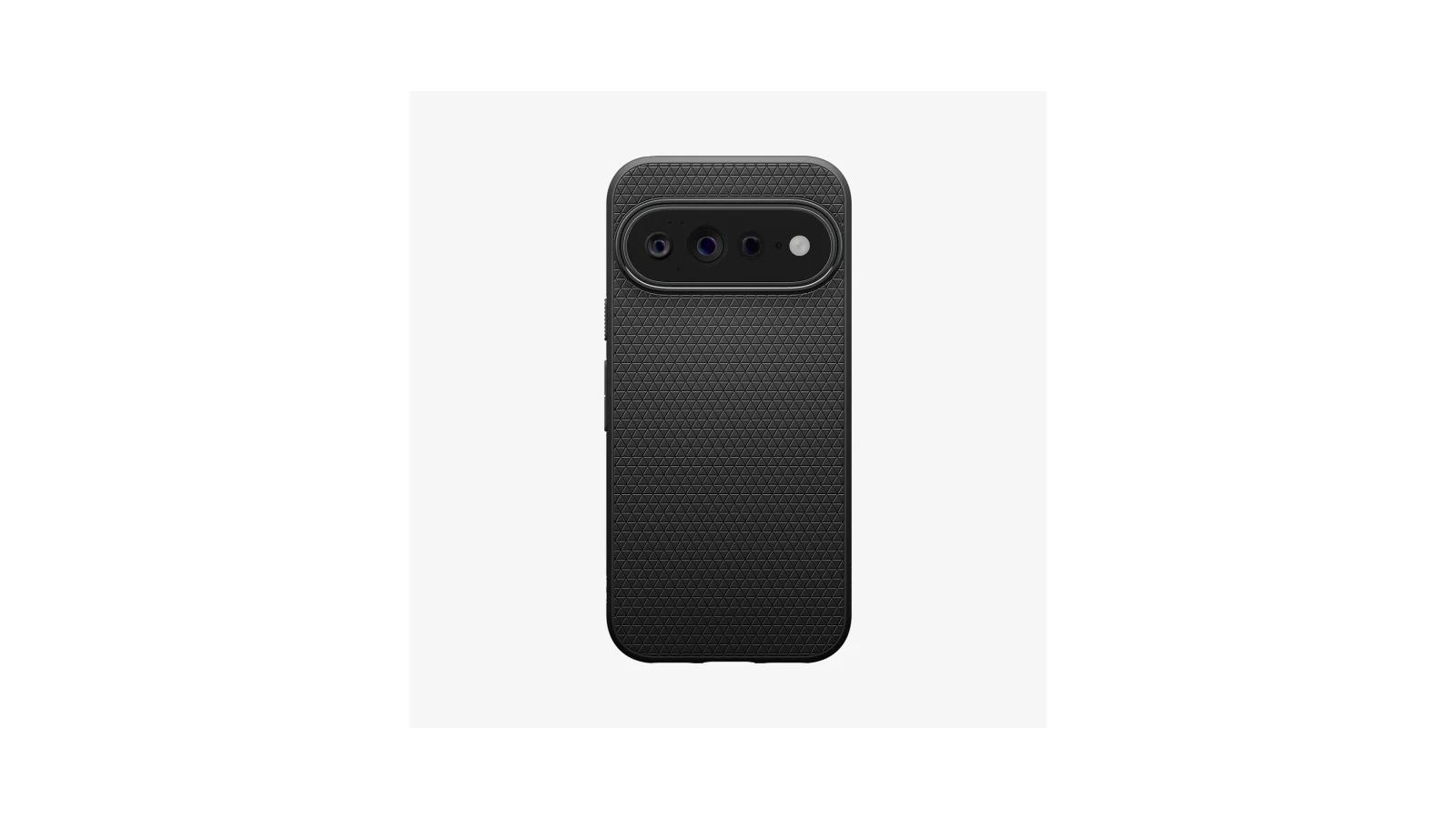
Textured TPU grip without magnetic-case bulk
The Liquid Air uses flexible TPU with a matte geometric texture and textured side grips. Its back has no magnetic ring, which keeps the design simpler for buyers who do not use magnetic mounts, wallets, or chargers.
Spigen lists the non-MagFit Pixel 11 case at $29.99, compared with $39.99 for the separate Liquid Air MagFit version. The lower price is meaningful when magnetic hardware is unnecessary.
Raised screen and camera edges
Spigen says the Liquid Air has raised edges for the screen and camera and uses Air Cushion Technology for impact protection. That places it above a bare skin or shell, but Spigen does not publish a specific drop height or measured lip clearance.
The Pixel 11 version identified as ACS11438 is the one to select, rather than the separate Pro or Pro XL products. A screen-protector pairing is also worth checking after installation.
Best grippy Pixel 11 case for slippery hands
The dbrand Pixelsnap Grip is the best choice for buyers who worry most about the phone slipping from their hand. Its textured dots and side grip strips make hand security the main reason to choose it, while the protective lip, camera coverage, replaceable skins, and Pixelsnap magnets add versatility. The compromise is a higher price and more profile than a simple TPU case. Choose the Spigen Liquid Air for a cheaper, less customizable textured design without magnetic hardware.
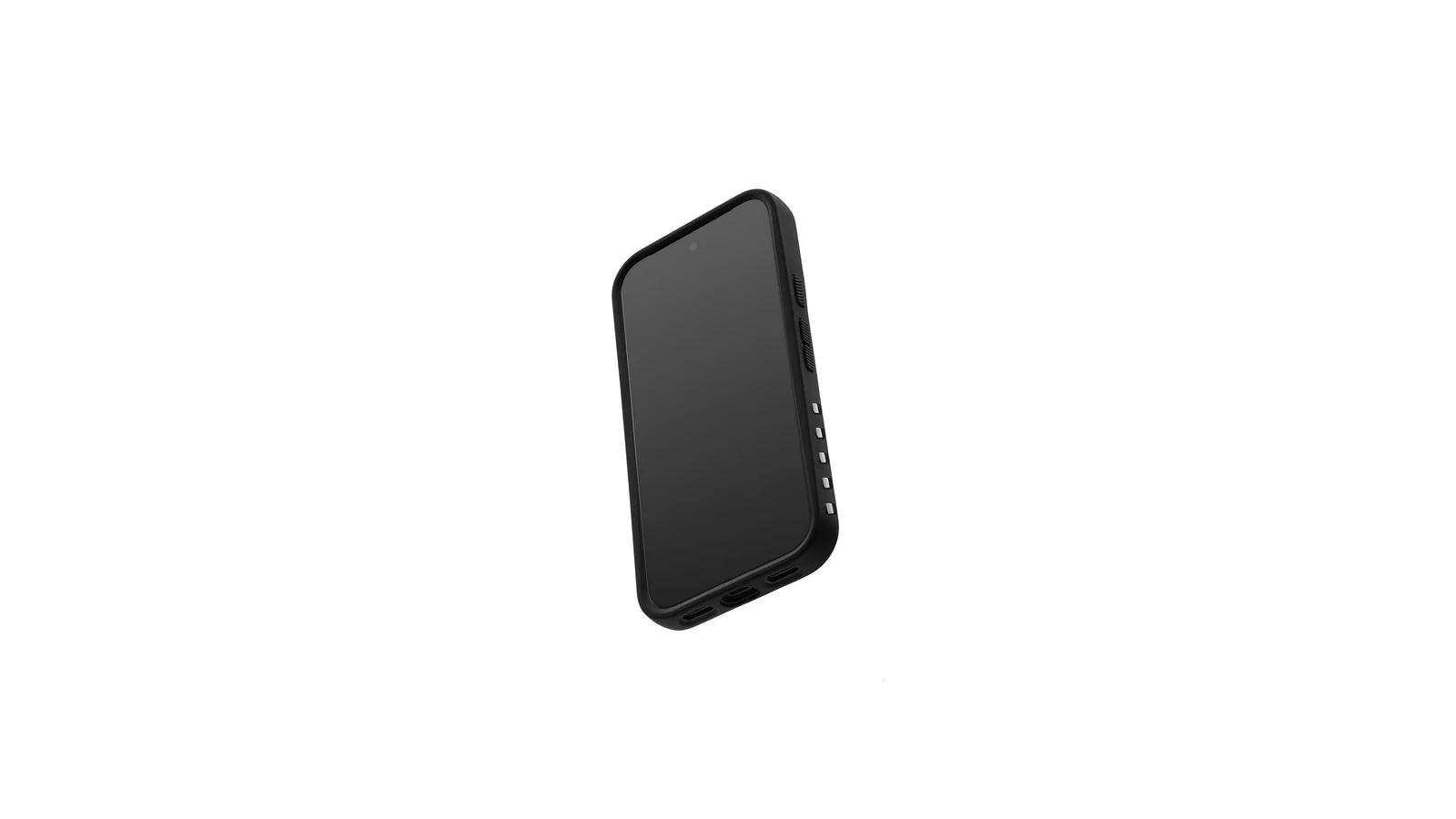
Textured dots and side grip strips
dbrand describes microscopic textured dots across the case and additional grip strips on the sides. That is a more purposeful high-friction design than the incidental texture found on many everyday cases.
The Pixel 11 version is listed at 1.4 ounces on the Google Store, and dbrand describes a 2 mm profile. Those figures support a relatively moderate profile, not a minimalist shell. Pricing varies by seller and skin, with dbrand showing configurations in the mid-$50 range.
Camera and screen-edge protection
The Grip includes a front chamfered lip and camera-area protection, and dbrand claims military-grade impact resistance. Those features make it a credible everyday-protection choice, but no exact Pixel 11 drop height or test protocol is established here. An Android Central drop test of an earlier Pixel 8 Grip does not show how this Pixel 11 version performs.
Customizable skins with magnetic support
The replaceable skin system is the main feature beyond grip. It lets buyers change the exterior look without replacing the complete case, although long-term skin wear, lifting, staining, and replacement costs are not clear for the Pixel 11 generation.
The case is marketed as Pixelsnap compatible. dbrand also warns that its magnets may affect the phone’s compass or other sensors. That matters if you use compass-dependent apps or magnetic instruments.
Best clear Pixel 11 case for showing the phone
The Spigen Ultra Hybrid MagFit is the best balanced clear Pixel 11 case for buyers who want to show the phone while retaining everyday protection and magnetic-accessory support. Its polycarbonate back, TPU frame, raised edges, Air Cushion design, and MagFit ring cover more use cases than a basic transparent shell. The compromise is clear-case aging: scratches and eventual discoloration remain possible despite Spigen’s clarity treatment. The Mous Protective Clear Case is the premium alternative for buyers who want a more substantial clear design and are willing to pay more.
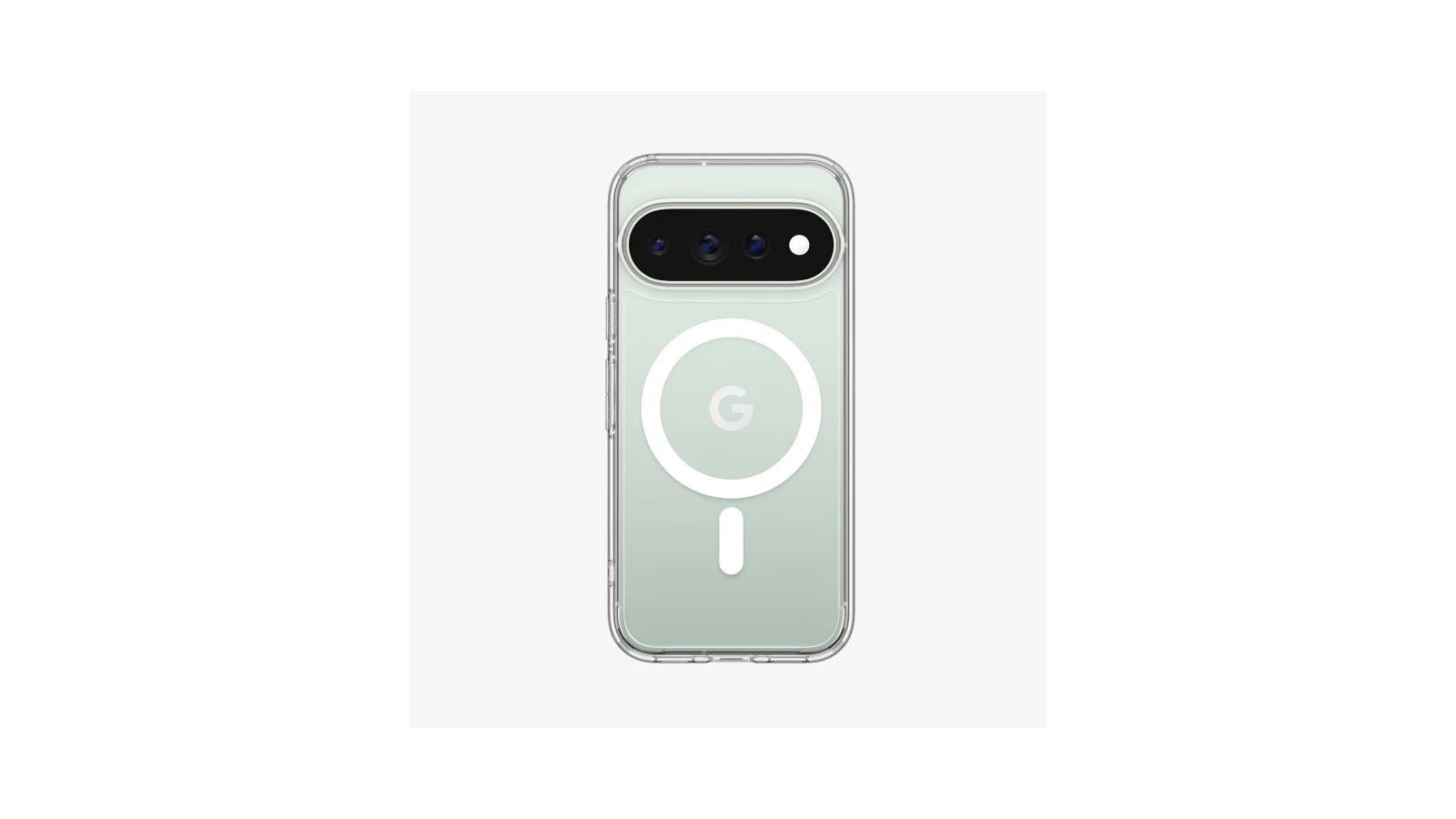
Transparent hybrid construction with magnetic support
The Ultra Hybrid MagFit uses a clear PC back and flexible TPU frame. Spigen identifies the Pixel 11 version as ACS11441, separate from the Pro and Pro XL variants.
Spigen lists it at $44.99 in the U.S., although marketplace pricing may be lower. That price pays for transparent styling, hybrid protection, and magnetic hardware rather than rugged-level coverage.
Everyday drop and camera coverage
Spigen claims Air Cushion protection, reinforced corners, and raised edges around the screen and camera. Android Central and iGeeksBlog position the case as an everyday clear option rather than a heavy-duty rugged case.
The product images and specifications show covered controls, precise openings, a raised camera surround, and a cutout intended to preserve access to Camera Control. Check button feel, port clearance, magnetic retention, and charging with the accessories you actually use.
How to think about yellowing and scratches
Spigen says the case uses blue resin or a DuraClear treatment for longer-lasting clarity. That is a design goal, not proof that the case will remain pristine indefinitely. Clear materials can still collect scratches, edge wear, or discoloration over time.
Spigen does not document a Pixel 11 case-and-screen-protector pairing. Watch for edge lift or pressure after installing a protector.
Best leather Pixel 11 case for a premium everyday carry
The Bellroy Leather Case with Pixelsnap is the best Pixel 11 case for buyers who want genuine leather feel, a refined appearance, and magnetic accessories in a relatively light profile. Google lists the Pixel 11 version at 1.02 ounces and describes premium gold-rated leather with a microfiber lining. The compromise is natural wear: scratches, patina, moisture exposure, and changing appearance are part of ownership. Choose Google’s Pixelsnap Case if you want a lower-maintenance synthetic alternative.
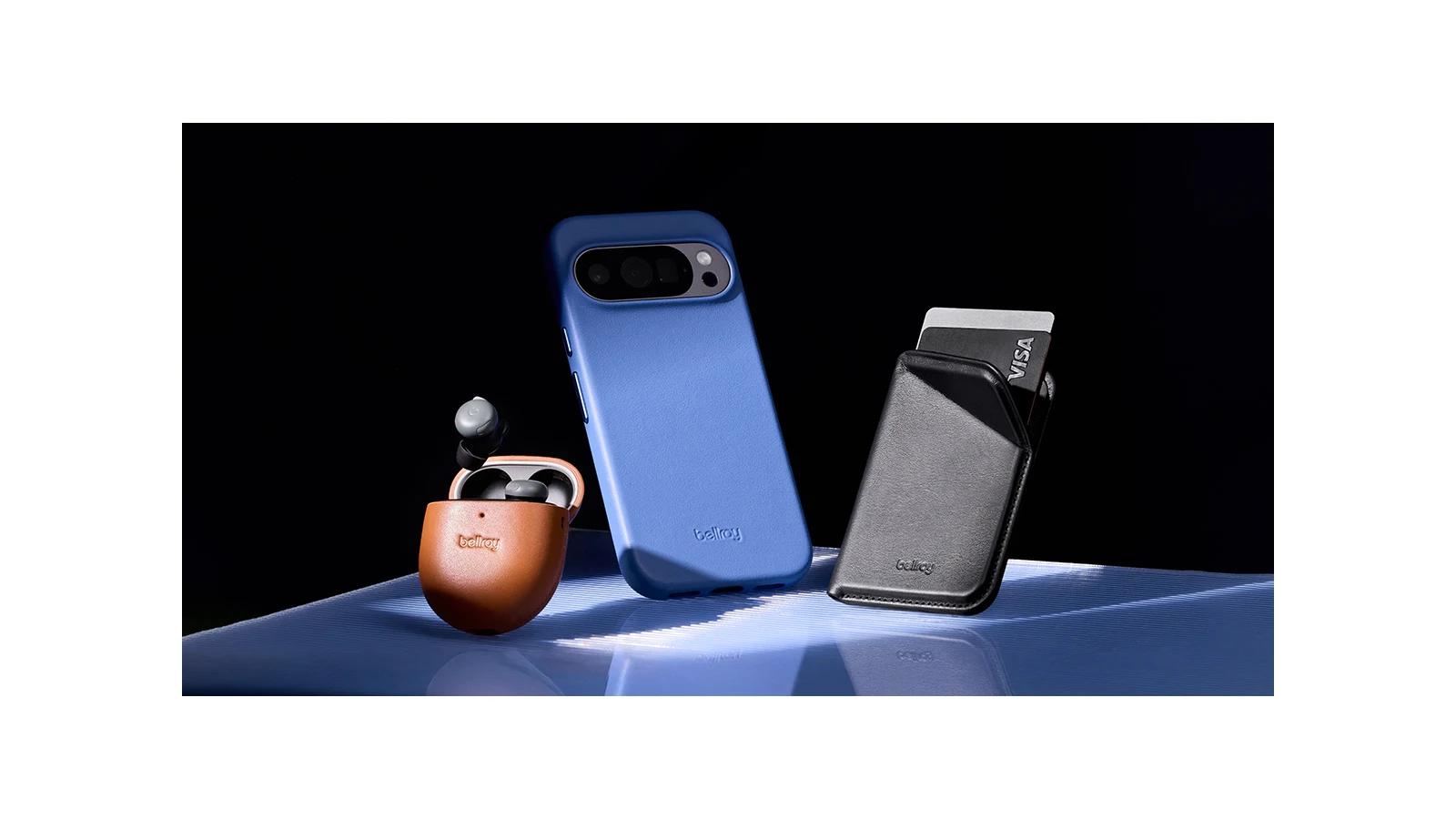
Gold-rated leather and microfiber lining
Bellroy is a material-first choice. The leather and microfiber lining create a more traditional premium carry than TPU or clear plastic, while the Pixelsnap interface preserves access to magnetic wallets, chargers, and mounts.
Google lists the Pixel 11 version at 6.18 x 3.03 x 0.51 inches and 1.02 ounces. Those figures support a relatively light everyday-carry role, not serious drop protection.
Slim profile with Pixelsnap support
Popular Mechanics and Android Central position Bellroy as a leather-focused Pixel 11 option with a refined, relatively low-bulk feel. HelenTech’s review of the Pixel 11 Pro version reported a slightly raised display frame, camera-area clearance, and use with Qi2 and Pixelsnap accessories. Those observations come from the Pro sample and do not confirm how the base Pixel 11 version fits or feels.
Patina, scratches, and natural wear
Leather ages differently from synthetic cases. Coverage describes the case as comfortable and capable of developing a distinct patina, but leather remains vulnerable to scratches and water. Bellroy suits buyers who accept visible wear as part of leather ownership.
Bellroy does not name a compatible screen protector or a product-specific U.S. warranty term. Verify those details if they could change the purchase.
Best Pixel 11 case with a built-in stand
The Poetic Spartan is the best choice for Pixel 11 buyers who regularly use hands-free viewing and want a stand, rugged construction, and a screen protector bundled together. Its rotating ring supports portrait and landscape positions, while the multi-layer shell adds coverage. The compromise is likely substantial, unquantified bulk and less certainty around charging, fit, and stand behavior than with simpler cases. Choose the OtterBox Commuter when conventional protection matters more than integrated stand functionality.
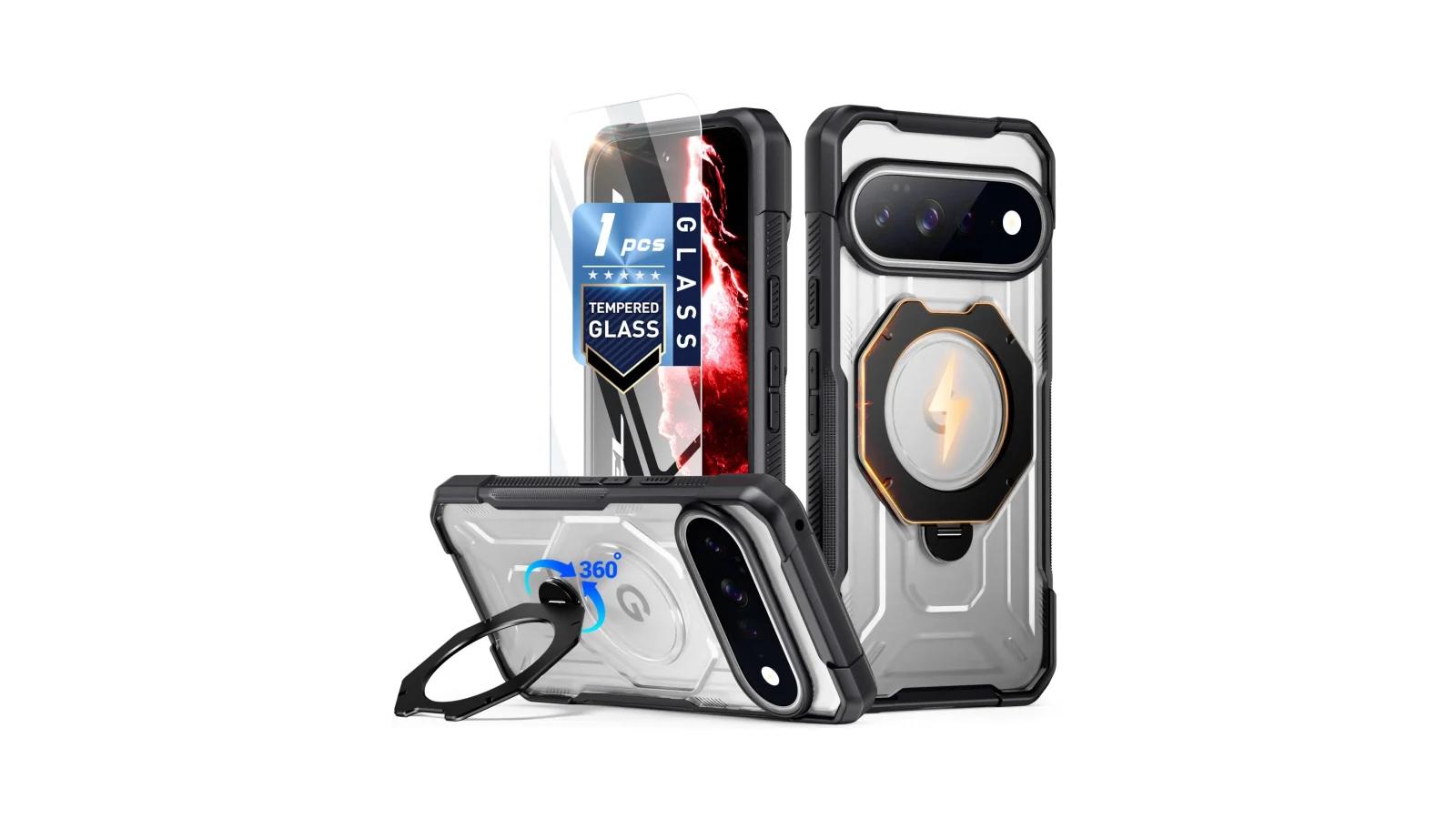
Rotating portrait and landscape ring stand
Poetic describes a 360-degree rotating ring stand that folds flat and supports both portrait and landscape viewing. That makes it useful for calls, video, reading, desk work, and travel. The stand is the reason to accept the case’s larger construction.
Rugged construction with included screen protector
The Spartan uses multiple PC and TPU layers, reinforced corners, raised protective edges, textured sides, and an aluminum-alloy ring stand. Poetic also claims 360-degree coverage and a 20-foot drop test. Those claims describe the product’s intended protection level, but the exact test procedure is not published.
The included tempered-glass protector adds value to the listed $28.95 price. Its fit, touch response, edge clearance, and interaction with another protector should still be checked before relying on it.
Magnetic charging and mounting caveats
Poetic claims a hidden N52 magnet array, 15N of magnetic force, up to 1,350 g of holding force, and compatibility with magnetic chargers and car mounts. Those figures do not guarantee that every mount, wallet, or charger will hold securely.
The layered case and stand hardware make alignment and charging especially important. Poetic’s page showed the case as out of stock when checked, while Walmart showed a listing at the same price. Confirm the seller, SKU, color, return terms, and checkout availability before ordering.
Pixel 11 cases compared by the decision that matters most
Product
- Best for
- Structured everyday protection
- Relative bulk and coverage
- Medium-high; dual layers, raised edges, and port covers
- Controls, ports, and accessories
- Pixelsnap support; covered ports and controls; check charger and protector pairing
- Price position
- Mainstream premium, $49.99 list price
- Main tradeoff
- More pocket bulk and variable stock
Product
- Best for
- Thin, lower-cost everyday carry
- Relative bulk and coverage
- Low-to-medium; flexible TPU, raised edges, and Air Cushion design
- Controls, ports, and accessories
- Basic openings and covered buttons; no Pixelsnap or Qi2 support advertised
- Price position
- Budget/value, $29.99 list price
- Main tradeoff
- Gives up magnetic accessory support and published dimensions
Product
- Best for
- Secure hand feel
- Relative bulk and coverage
- Medium; textured surface, protective lip, and camera coverage
- Controls, ports, and accessories
- Pixelsnap magnets and replaceable skins; setup-specific accessory checks remain important
- Price position
- Premium, generally mid-$50s
- Main tradeoff
- Higher price and profile; possible compass and sensor interference
Product
- Best for
- Clear styling with magnetic accessories
- Relative bulk and coverage
- Medium; PC back, TPU frame, raised edges, and corner protection
- Controls, ports, and accessories
- MagFit ring and magnetic-accessory support; retention varies by setup
- Price position
- Mainstream premium, $44.99 list price
- Main tradeoff
- Clear materials can scratch or discolor
Product
- Best for
- Premium leather everyday carry
- Relative bulk and coverage
- Low-to-medium; relatively light leather construction
- Controls, ports, and accessories
- Pixelsnap support; base-model protector and port pairing should be checked
- Price position
- Premium, from $54.99
- Main tradeoff
- Leather wears visibly and is not intended for serious drops
Product
- Best for
- Hands-free viewing and bundled features
- Relative bulk and coverage
- Highest qualitatively; multi-layer shell, stand, and protector
- Controls, ports, and accessories
- Rotating portrait/landscape stand, magnetic hardware, and included protector
- Price position
- Feature value, $28.95 list price
- Main tradeoff
- Unpublished bulk plus unresolved charging, stability, and stock questions
Swipe table to view all columns.Scroll table to view all columns.
| Product | Best for | Relative bulk and coverage | Controls, ports, and accessories | Price position | Main tradeoff |
|---|---|---|---|---|---|
| OtterBox Commuter Series with Pixelsnap | Structured everyday protection | Medium-high; dual layers, raised edges, and port covers | Pixelsnap support; covered ports and controls; check charger and protector pairing | Mainstream premium, $49.99 list price | More pocket bulk and variable stock |
| Spigen Liquid Air | Thin, lower-cost everyday carry | Low-to-medium; flexible TPU, raised edges, and Air Cushion design | Basic openings and covered buttons; no Pixelsnap or Qi2 support advertised | Budget/value, $29.99 list price | Gives up magnetic accessory support and published dimensions |
| dbrand Pixelsnap Grip | Secure hand feel | Medium; textured surface, protective lip, and camera coverage | Pixelsnap magnets and replaceable skins; setup-specific accessory checks remain important | Premium, generally mid-$50s | Higher price and profile; possible compass and sensor interference |
| Spigen Ultra Hybrid MagFit | Clear styling with magnetic accessories | Medium; PC back, TPU frame, raised edges, and corner protection | MagFit ring and magnetic-accessory support; retention varies by setup | Mainstream premium, $44.99 list price | Clear materials can scratch or discolor |
| Bellroy Leather Case with Pixelsnap | Premium leather everyday carry | Low-to-medium; relatively light leather construction | Pixelsnap support; base-model protector and port pairing should be checked | Premium, from $54.99 | Leather wears visibly and is not intended for serious drops |
| Poetic Spartan with MagSafe | Hands-free viewing and bundled features | Highest qualitatively; multi-layer shell, stand, and protector | Rotating portrait/landscape stand, magnetic hardware, and included protector | Feature value, $28.95 list price | Unpublished bulk plus unresolved charging, stability, and stock questions |
The right Pixel 11 case depends on the compromise you can live with
For structured protection, choose the OtterBox Commuter. For lower-cost, relatively slim carry without magnetic hardware, choose the non-MagFit Liquid Air. For the most deliberate hand-grip design, choose the dbrand Grip. The Ultra Hybrid MagFit is the balanced clear option, Bellroy is the material-first leather choice, and Poetic is the feature-value pick when a built-in stand matters.
No single case wins every decision. Protection, pocket size, grip, material feel, magnetic hardware, and stand functionality pull in different directions. Check current price and stock before ordering, especially for OtterBox and Poetic, then select the case made for the standard Pixel 11 rather than the Pro or Pro XL.
What to check when the case arrives
Before keeping the case, run through these checks:
- Confirm the model. Make sure the case is labeled for the standard Google Pixel 11.
- Check controls and USB-C access. Press each button and connect your usual cable and accessories.
- Check protector clearance. Look for edge lift, pressure, or interference after installing the screen protector.
- Test magnetic accessories. Check alignment, retention, charging, and whether a wallet or mount must be removed before charging.
- Check the Poetic stand if applicable. Try portrait and landscape positions on the surfaces where you expect to use it.